Floor plans in Claude
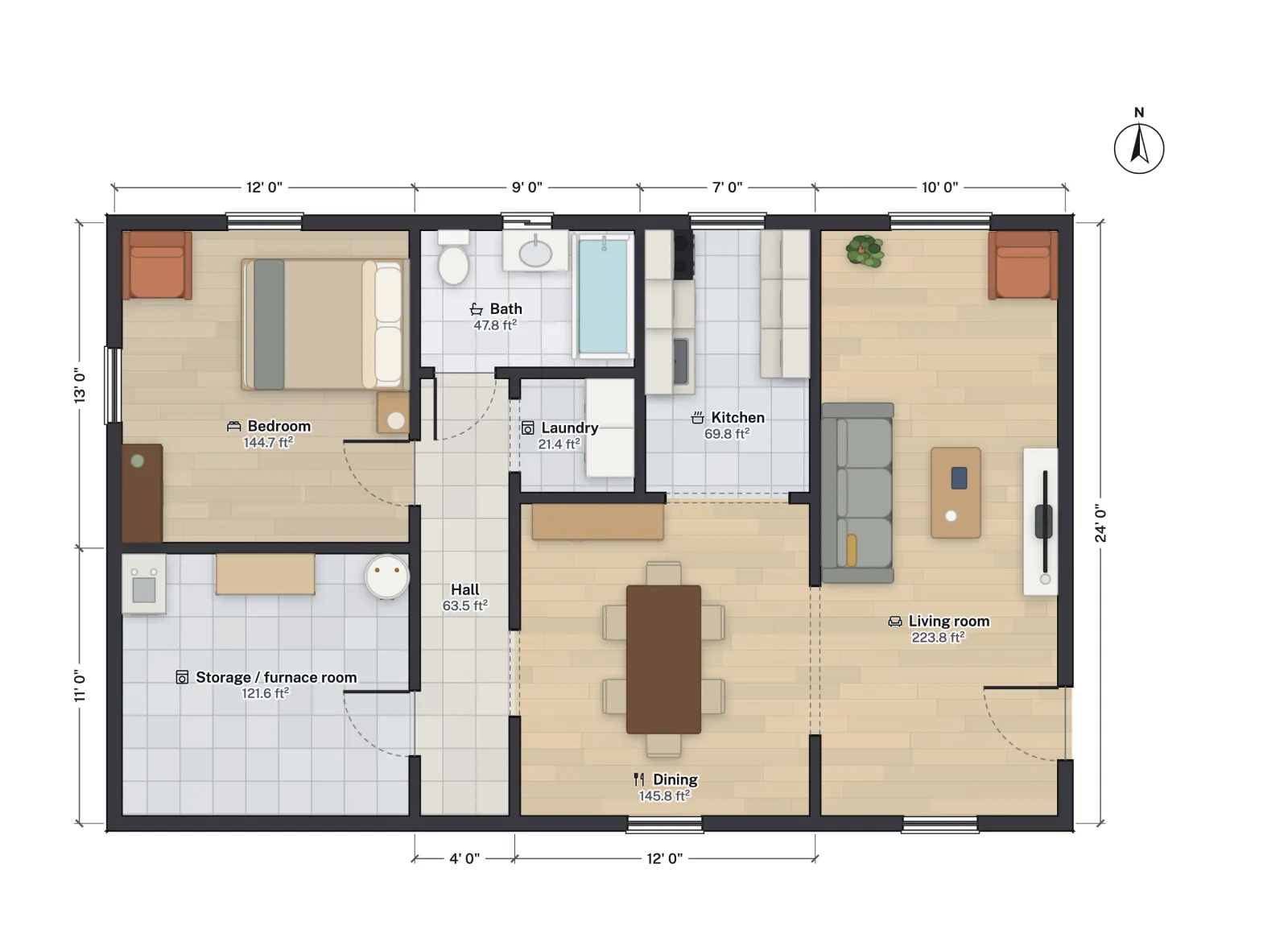
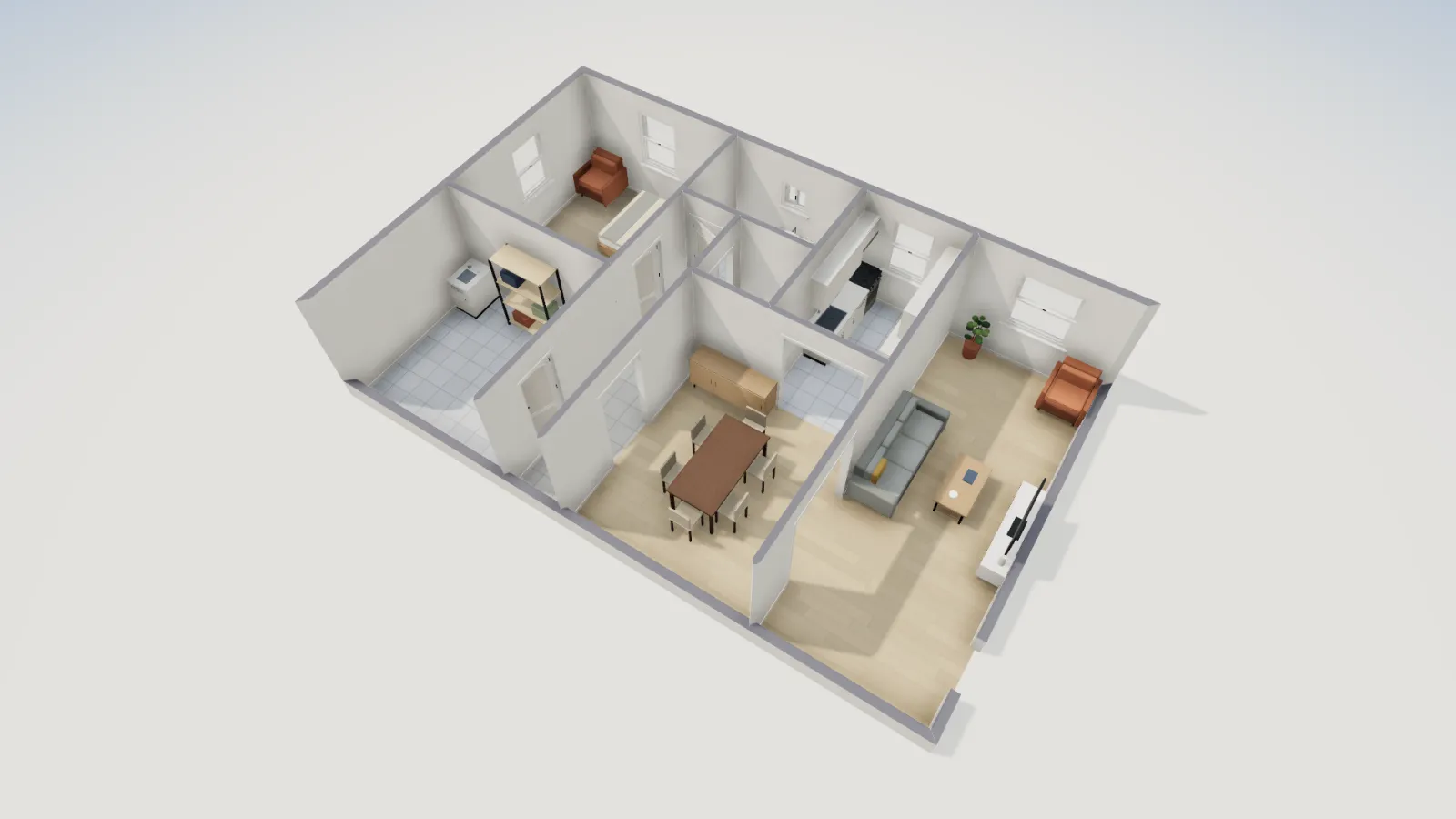
Add FloorGen as a connector and Claude can draw, change and check your floor plans in a real editor, then show you a render of what it did. It works in claude.ai, the Claude desktop and mobile apps, and Claude Code.
- Works in
- claude.ai, Desktop, Code
- Sign-in
- OAuth or API key
- Prompts
- 12 playbooks
- FloorGen account
- Free
Pick your Claude
| Claude app | How it connects | Good for |
|---|---|---|
| claude.ai, Claude Desktop and mobile | Custom connector: paste the URL, sign in to FloorGen | Talking a design through, with renders in the chat |
| Claude Code | An API key in an Authorization header | Batch work: many rooms, many projects, scripted checks |
| Claude Desktop, by config file | The key through mcp-remote | Teams that manage config files rather than connectors |
Connect in claude.ai or the apps
- Have a free FloorGen account (Google sign-in) with at least one synced project.
- In Claude, open Settings → Connectors → Add custom connector. Name it FloorGen and paste
https://floorgen.app/mcp. - Click Connect, sign in to FloorGen and choose the access: Read only, Read & edit, or Full.
- In a chat, switch FloorGen on from the tools menu and ask "What FloorGen projects do I have?". A connector added on claude.ai shows up in the desktop and mobile apps too.
Connect Claude Code
On FloorGen's Home screen, open Agents & MCP, create a key (name it, choose the access, all projects or chosen ones, and an expiry) and copy it; it is shown once. Then:
export FLOORGEN_API_KEY="fg_live_PASTE_YOUR_KEY"
claude mcp add --transport http --scope user floorgen https://floorgen.app/mcp \
  --header "Authorization: Bearer $FLOORGEN_API_KEY"
Claude Code lists FloorGen's MCP prompts as slash commands, so a playbook such as design_home, trace_plan or audit_and_fix_plan is one command away. Add ?toolsets=all to the URL to give it all 151 tools rather than the 44 core ones.
Things to ask Claude
Walk me through this basement suite as if I were a tenant viewing it, then tell me what you would change.
Propose two bathroom layouts for the bath, keep a 30 in clearance in front of the toilet, and render both.
Make the bedroom 2 ft longer by moving the wall it shares with the storage room, then check the escape window still passes.
Compare my "Option A" and "Option B" projects by bedrooms and net area, as a table.
Claude is good at the reasoning around a plan: explaining a layout, weighing two options, listing what a code check found in plain words. The playbooks give it a tested sequence for the bigger jobs (design a home, furnish a room, trace an image, add a storey) that ends with a check and a render.
What keeps it safe
- The access level you pick decides which tools Claude even sees: Read only shows no editing tools.
- Deletes need a confirmation token, so Claude has to ask you first, and removed things go to a trash.
- A checkpoint is saved before big changes, every change is logged under Activity, and each is one undo step.
Limits
- Claude can misread which wall or room you mean; name rooms as they appear on the plan, and check the render.
- Only projects synced to your FloorGen account are visible, not plans saved only in a browser.
- PDF, DXF and video exports are made in the editor; Claude receives PNG renders.
Questions
Can Claude draw a floor plan?
Connected to FloorGen, yes: it calls tools that draw walls, rooms, doors and furniture at real sizes in a plan you can open and edit. Without a tool like this it can only describe a plan or write code for a picture.
Which Claude plans support connectors?
Custom connectors are available on several Claude plans, and that changes; check Anthropic's current help pages. FloorGen needs only a free account.
Can I limit Claude to one project?
Yes, with an API key limited to chosen projects (Claude Code, or the desktop config file). A connector sign-in covers all your projects.
Does Claude see my plans when I am not using it?
No. It reads a project only when a chat calls a FloorGen tool, and you can disconnect it from Agents & MCP at any time.