3D Modeler keyboard shortcuts
Updated 2 min readWorks without an account
Press ? in the 3D Modeler, or choose More actions › Keyboard shortcuts, to see every shortcut. This page lists the same keys. ⌘ is Ctrl on Windows and Linux, and ⌥ is Alt.
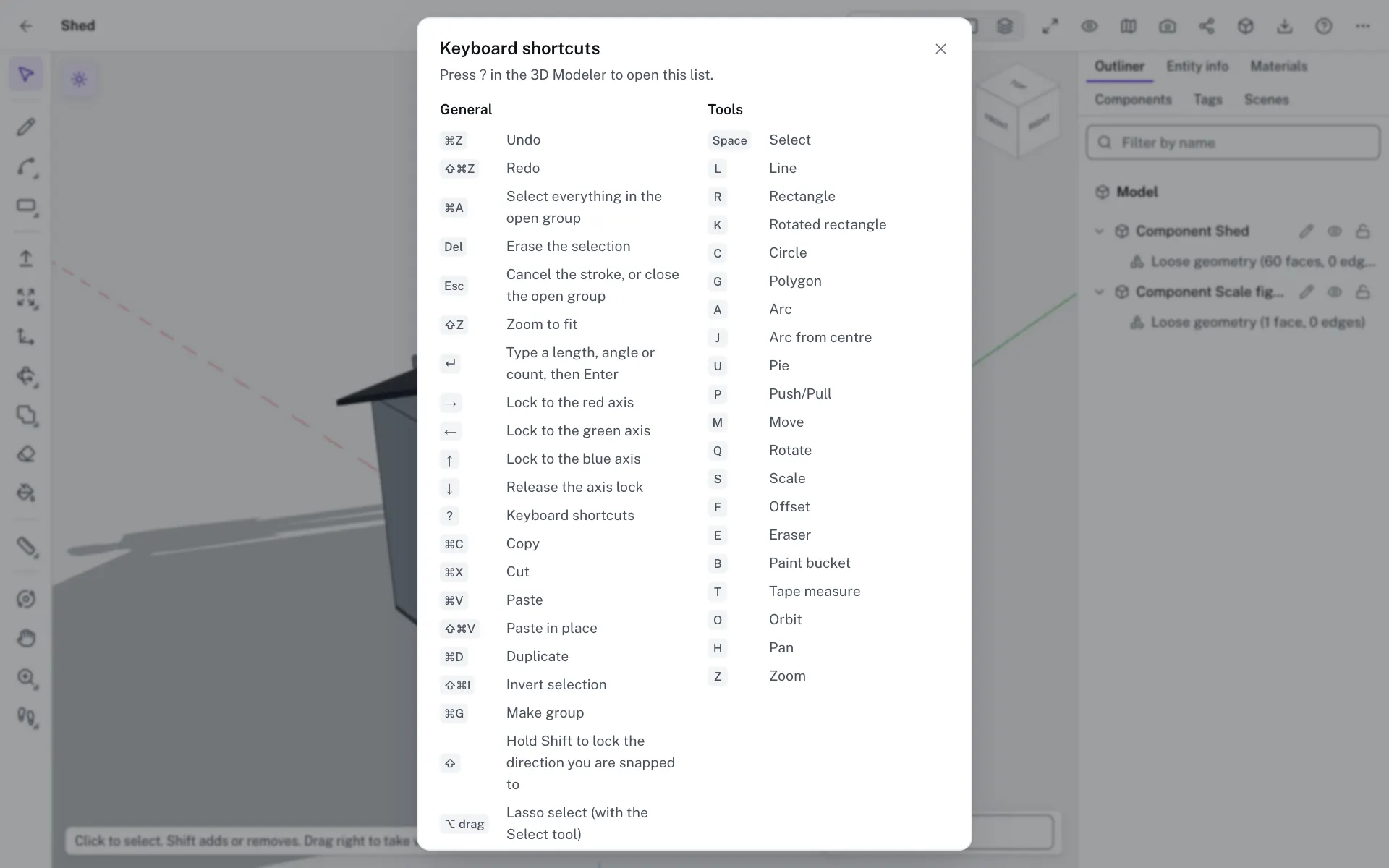
General keys
| Key | Does |
|---|---|
| ⌘Z | Undo |
| ⇧⌘Z | Redo (⌘Y works too) |
| ⌘A | Select everything in the open group |
| Del | Erase the selection |
| Esc | Cancel the stroke, or close the open group |
| ⇧ Z | Zoom to fit |
| / | Ask AI about the selection. Listed only where you can use FloorGen AI on the model. |
| Enter | Type a length, angle or count, then Enter |
| → | Lock to the red axis |
| ← | Lock to the green axis |
| ↑ | Lock to the blue axis |
| ↓ | Release the axis lock |
| ? | Keyboard shortcuts |
| ⌘C | Copy |
| ⌘X | Cut |
| ⌘V | Paste |
| ⇧ ⌘V | Paste in place |
| ⌘D | Duplicate |
| ⇧ ⌘I | Invert selection |
| ⌘ G | Make group |
| ⇧ | Hold Shift to lock the direction you are snapped to |
| ⌥ and drag | Lasso select (with the Select tool) |
You don’t need to click the measurements box first: type the number at any time and press Enter. Backspace takes out the last character you typed, and Esc clears it. Once you have typed a number, letters are read as units (m, cm, mm, ft, in) or as s for sides, not as tools.
The arrow keys lock an axis while a tool that snaps to points is on, such as Line, Move, Rotate or Push/Pull; Rotate and Flip pick their axis with them. With Walk, they walk and turn instead.
Tool letters
Press a tool’s letter to pick it, without ⌘, ⌥ or ⇧. The tables follow the tool rail from top to bottom.
| Key | Tool |
|---|---|
| Space | Select |
| Key | Tool |
|---|---|
| L | Line |
| A | Arc |
| J | Arc from centre |
| U | Pie |
| R | Rectangle |
| K | Rotated rectangle |
| C | Circle |
| G | Polygon |
| Key | Tool |
|---|---|
| P | Push/Pull |
| F | Offset |
| M | Move |
| Q | Rotate |
| S | Scale |
| E | Eraser |
| B | Paint bucket |
| Key | Tool |
|---|---|
| T | Tape measure |
| Key | Tool |
|---|---|
| O | Orbit |
| H | Pan |
| Z | Zoom |
These tools have no letter; pick them on the rail: Freehand, Ellipse, Flip, Mirror, Follow Me, Fillet, Chamfer, Union, Subtract, Intersect, Trim, Split, Dimension, Protractor, Text label, Axes, Section plane, Zoom window, Walk, Look around and Position camera. Hover any tool on the rail to see its name, and its letter where it has one.
When a key does nothing
The keys pause while you type in a field or a menu or dialog is open. In a view-only model, only Select, Orbit, Pan and Zoom keep their keys, and the sheet lists only those tools.Questions
Are these the same keys as the floor plan editor?
No. The 3D Modeler has its own keys, close to other push/pull modellers: R is Rectangle here and Space is Select. Press ? in either editor to see its own list.
Why did a letter not pick its tool?
After a number, letters are read as units or sides until you press Enter or Esc. Keys also pause while a field, menu or dialog has the focus.