Start a new project
Updated 3 min readWorks without an account
Click New project, give the project a name, pick the region and units, and choose a starting point: a blank plan, a plot of a given size, or a furnished template. You can change every choice later.
Create a project
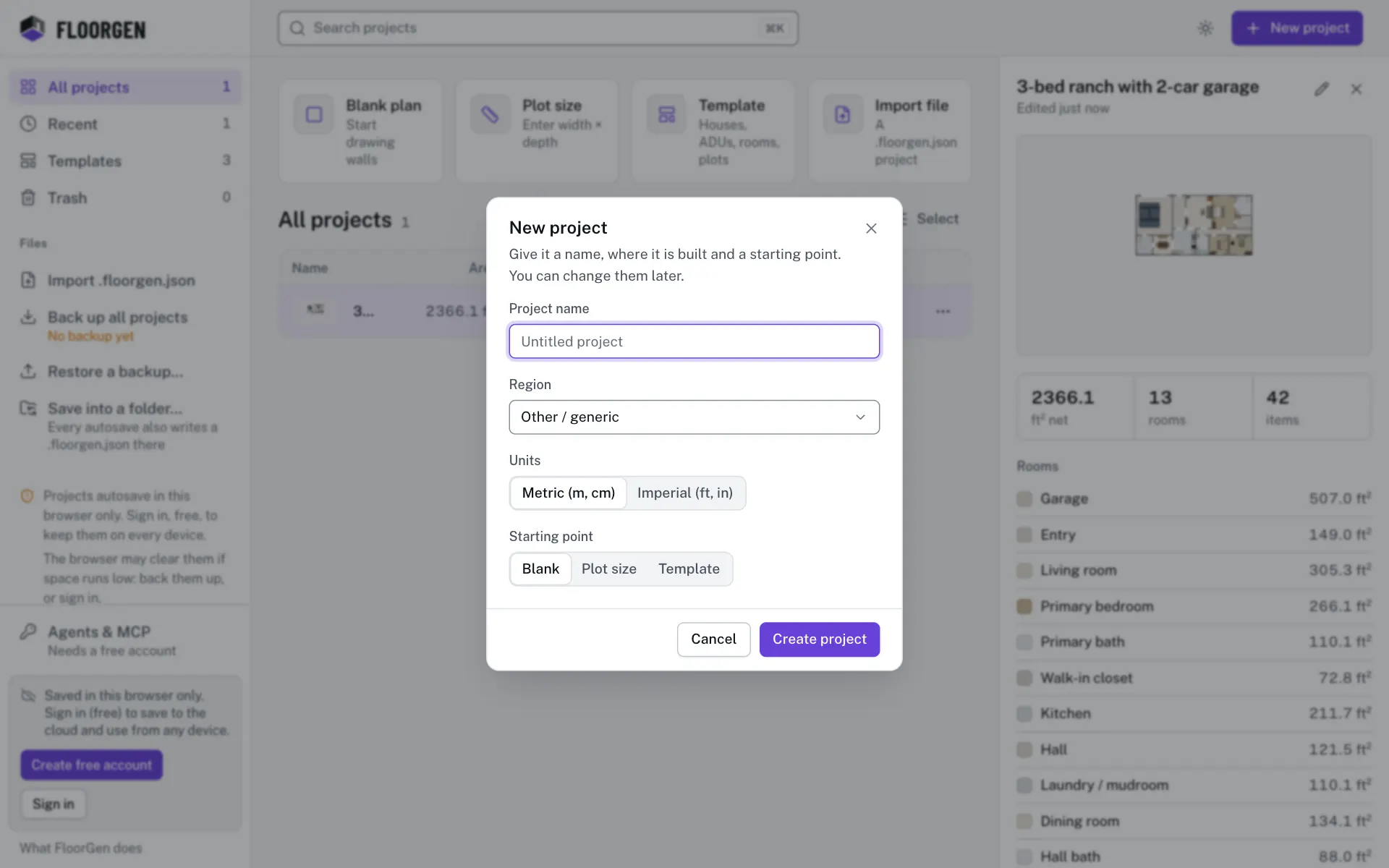
- Step 1: Open the dialog
Click New project at the top right of the projects page. In the editor, open the account menu and choose New project….
- Step 2: Name it
Type a Project name of up to 80 characters. Left empty, it is called Untitled project, or after the template you pick.
- Step 3: Pick the region
Region sets the defaults for where the house is built: units, currency, paper, wall build-ups, door and window sizes and the building code profile. Picking one also switches Units to that region’s.
- Step 4: Check the units
Choose Metric (m, cm) or Imperial (ft, in). You can switch later without changing anything you drew.
- Step 5: Choose the starting point
Pick Blank, Plot size or Template under Starting point, as described below.
- Step 6: Create it
Click Create project (or press ↵ in the name field). The editor opens on the new project.
Starting points
| Starting point | What you get |
|---|---|
| Blank | An empty plan. Draw rooms, trace an image, or pick a template from the empty plan later. |
| Plot size | Your plot drawn as four exterior walls, from Width and Depth you type (1 m to 500 m a side), to build inside. |
| Template | A furnished layout, in the region and units you picked. More layouts are on the projects page; see Start from a template. |
Other ways to start
- Above All projects, the Blank plan and Plot size tiles open the New project dialog on that starting point, Template opens the template picker, and Import file asks for a file.
- Import file opens a
.floorgen.jsonproject file, for example one a colleague sent you. See Project files and backups. - In a project’s More actions menu, Duplicate makes a copy to start from.
Questions
Can I change the region later?
Yes. Open Settings…, then the Region tab. Walls already drawn keep their size; new ones use the new region’s build-ups.
What happens to an empty project?
If you leave a project empty and untitled, it is discarded. An empty project you named stays, with an Empty badge.
Why was I asked to sign in?
A guest can be limited to a number of projects in one browser. Sign in free to make more; your guest projects come with you.