Your projects
Updated 3 min readWorks without an account
The projects page lists every project in this browser and, when you are signed in, your account. Search and sort them, click one to preview it, double-click to open it, and delete what you no longer need. Deleted projects wait in Trash for 30 days.
Find a project
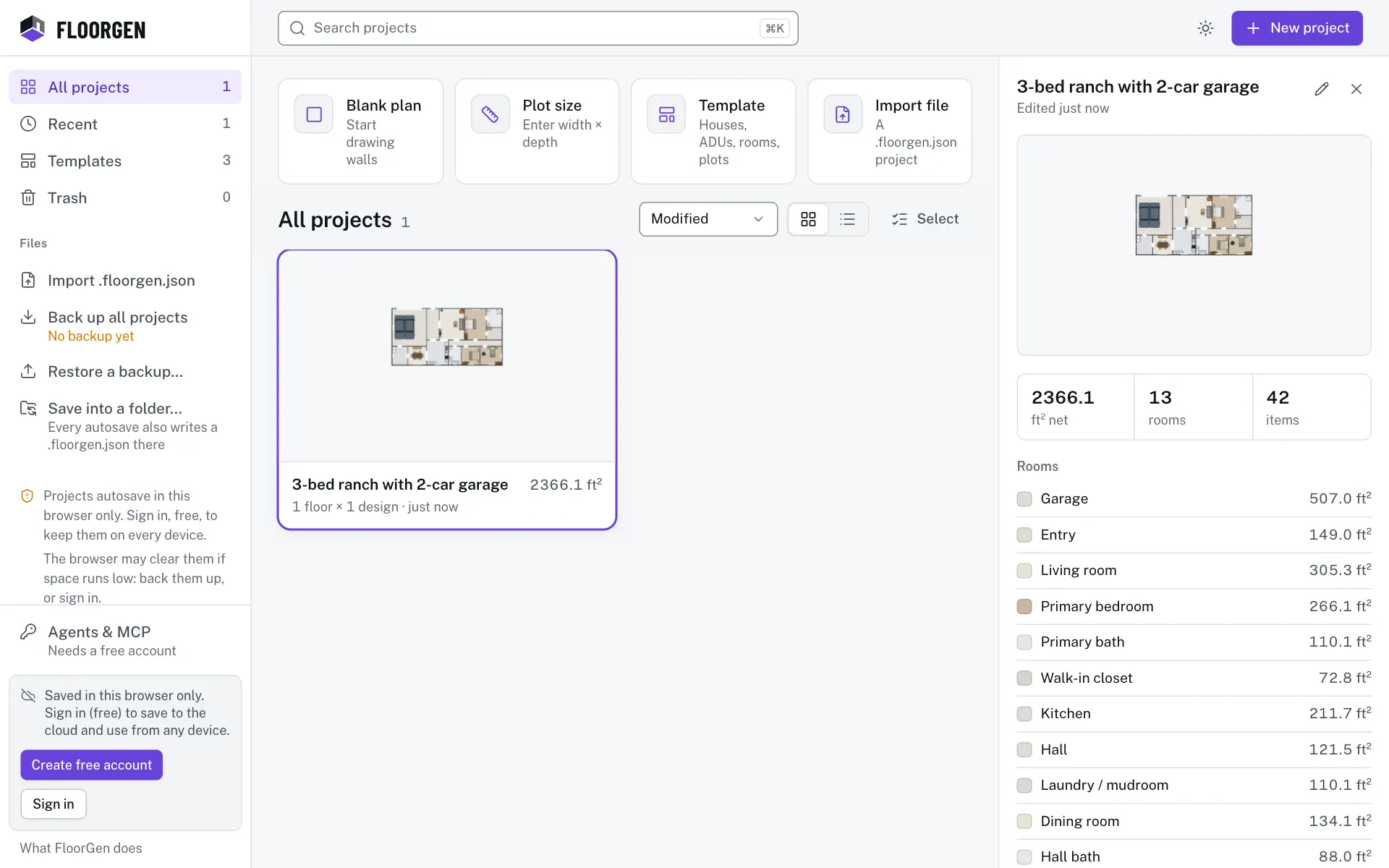
- Step 1: Pick a view in the sidebar
All projects lists everything, Recent what you edited in the last 7 days, Shared with me what others shared (signed in only), Templates the starting layouts and Trash what you deleted.
- Step 2: Search by name
Type in Search projects, or press ⌘K or / to jump to it. Every word you type must be in the name; case and accents are ignored. Esc clears it.
- Step 3: Preview, then open
Click a card to preview its plan, net area, rooms and items, with each room’s area by floor and when it was edited and created. A project with several floors gets a Floor switch over the plan. Double-click a card, press ↵, or click Open in editor in the preview; Esc closes it.
- Step 4: Start something new
New project at the top right opens the New project dialog. See Start a new project.
Above the list, All projects shows four ways to start (Blank plan, Plot size, Template and Import file) and, once you have more than three projects, Jump back in with your latest edits.
Sort and lay out the list
| Sort | Order |
|---|---|
| Modified | Last edited first |
| Name | A to Z |
| Created | Newest first |
| Area | Largest floor area first |
Beside the sort menu, switch between a Grid of cards and a List. Both choices are remembered in this browser.
Rename, duplicate or delete
Each card’s More actions menu (⋯) has Rename…, Duplicate, Export project file and Delete…. The preview has a Rename pencil beside the name, and Open in editor, Duplicate, Export (the project file) and Delete buttons. A duplicate is named with “(copy)” at the end.
- Step 5: Start selecting
Click Select beside the sort menu. Clicking a card now ticks it instead of previewing it.
- Step 6: Pick the projects
Tick the ones you want, or click Select all.
- Step 7: Delete them
Click Delete, then Move to trash. Click Done to stop selecting.
Restore from Trash
Open Trash in the sidebar. The Recently deleted list shows how many days each project has left. Click Restore to bring one back, or Delete forever to remove it and its versions from this browser now. After 30 days a project is removed for good.
Questions
Why is a project missing from Recent?
Recent shows projects edited in the last 7 days. Every project is under All projects.
Does deleting a project remove it from my other devices?
Yes, when you are signed in. Your other devices move it to Recently deleted too, so you can restore it there for 30 days.
What does the Empty badge mean?
The project has nothing drawn in it yet. An empty project you never named is discarded when you leave it; one you named stays.
Where are import and backup?
In the sidebar under Files, or Files & backup on a phone. See Saving, history and backups.