AI credits
Updated 4 min readNeeds a free account
When credits are on for your account, Smart import’s Read plan costs credits, and the top bar shows what you have left. When they are off, Smart import costs nothing and shows Included during beta to accounts that can use it.
Credits are off by default site-wide. If you see no credits chip in the editor, credits are not on for your account and you can ignore this guide. They need a free account and apply only to the AI pass in Smart import. Detecting walls, DXF files and a PDF’s own text layer run in your browser and cost nothing.
Check your balance
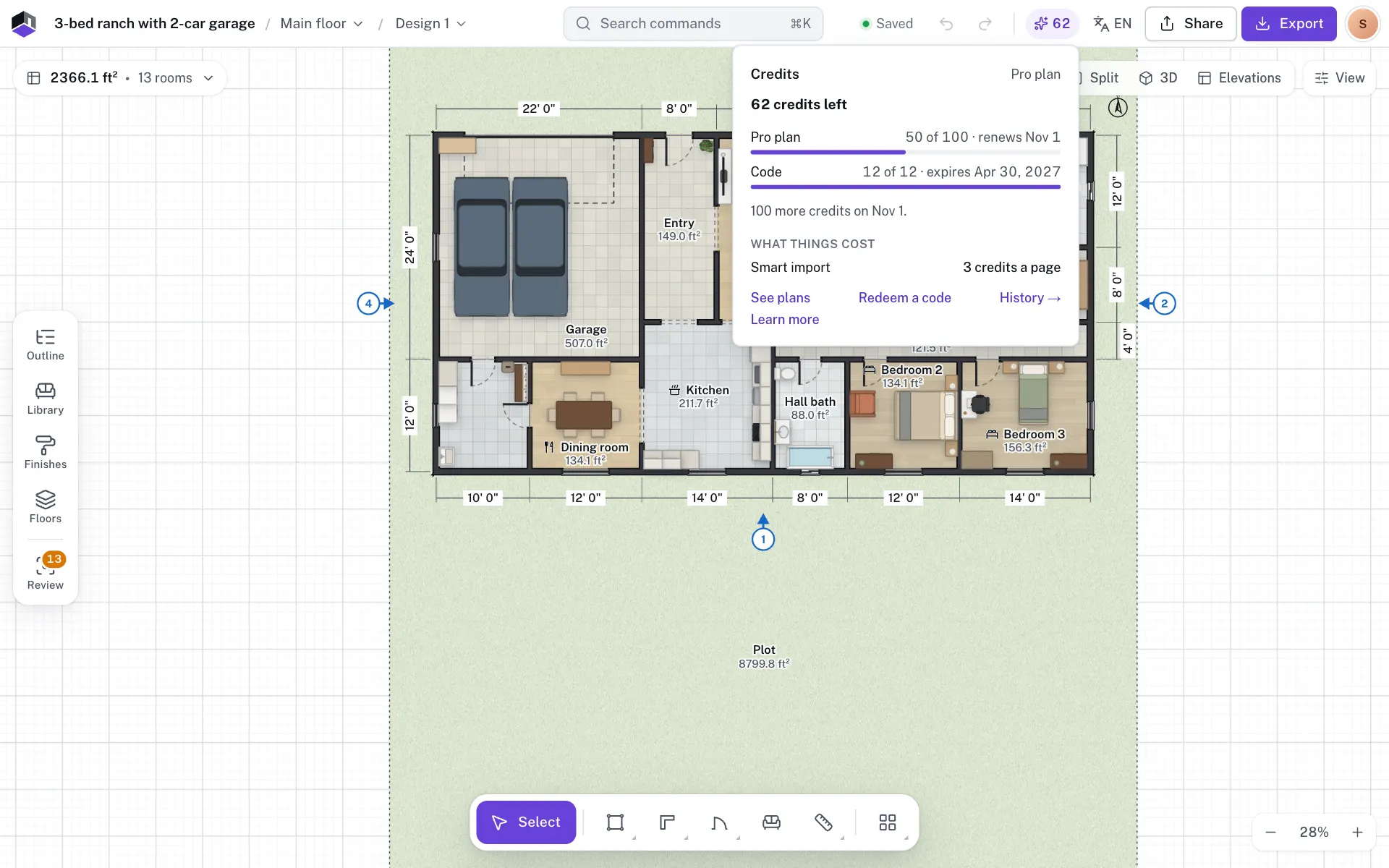
- Step 1: Find the chip
In the top bar of the editor, look for a sparkle with a number next to it; pointing at it says Credits: 125 left. In a narrow window the chip shows only the sparkle. It turns amber when you have 10 or fewer left.
- Step 2: Open it
Click the chip. The popover shows your balance, your plan, and a bar for each batch of credits with what is left and when it renews or expires. Credits from a code or a grant say Code or Added by FloorGen, and some have no expiry.
- Step 3: Read what things cost
Under What things cost, Smart import shows its price, for example 3 credits a page. The popover also shows when your plan adds more credits.
- Step 4: Use the links
See plans opens the plans page, Redeem a code opens My plan, and History opens the full list.
On a phone there is no chip. Open the account menu and tap Credits · 125 instead.
Credits held while an import runs
When you click Read plan, FloorGen sets aside the price first. The popover shows it as “3 credits held for work in progress”, and the credits count as used once the plan is read. The button shows the price, for example Read plan · 3 credits.
If the page is not a floor plan, the read fails or you cancel, the credits come back and FloorGen says You were not charged. If the plan was read just before it stopped, the credits are used, and reading that page again within 7 days, for a project in the same units, is free.
See where credits went
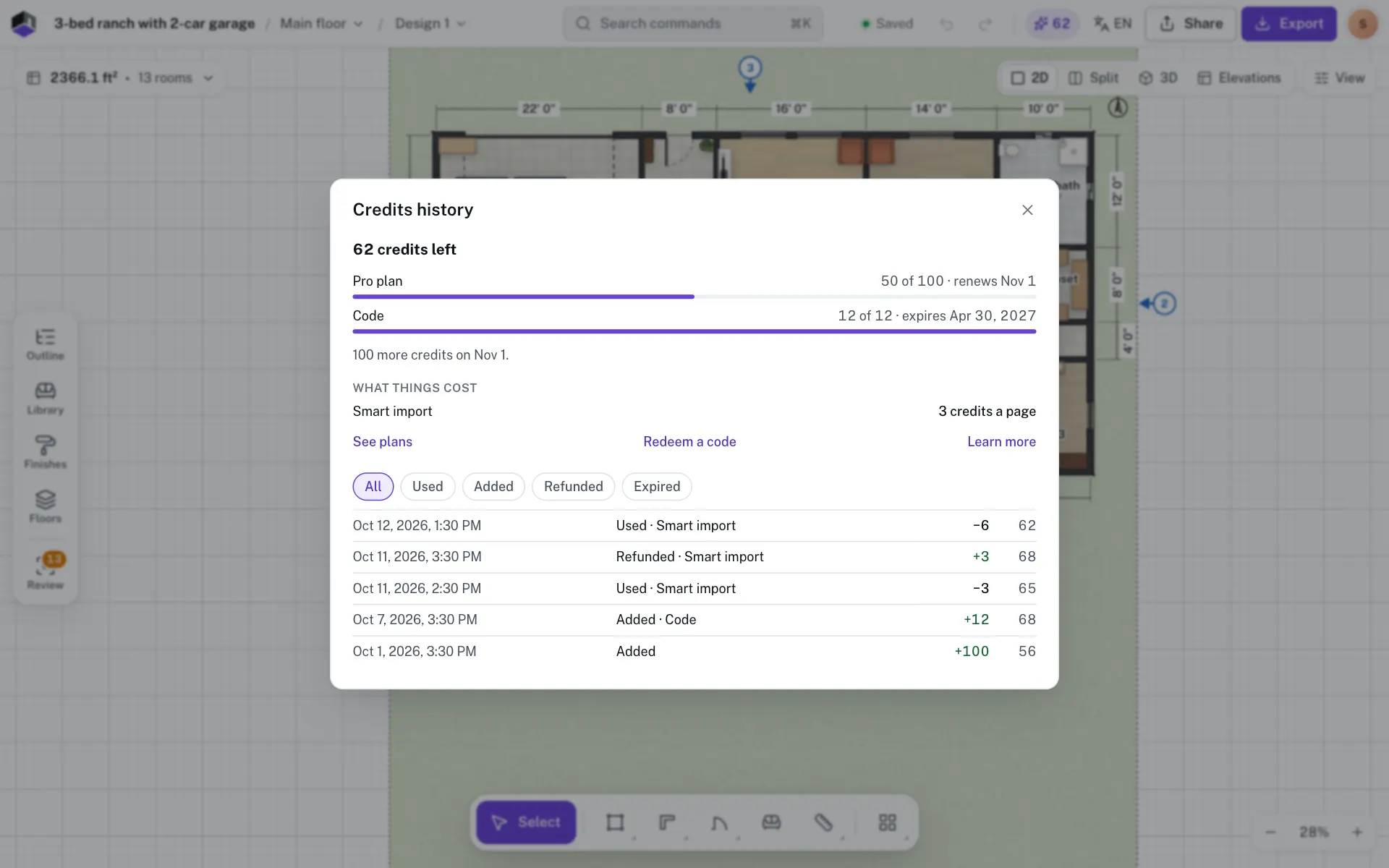
- Step 5: Open the history
Click History in the chip’s popover. The Credits history dialog lists each change with its date, what it was, the change and the balance after it.
- Step 6: Filter the list
Pick All, Used, Added, Refunded or Expired. A row still running says In progress.
- Step 7: Load older rows
Click Load more at the bottom to see earlier changes.
When you run short
If a page costs more than you have, the Not enough credits card shows what you have and what the pages need, and when your plan adds more. It offers:
- Import 2 pages now (the number depends on your balance), when your credits cover part of the job.
- See plans, to look at a bigger plan.
- Redeem a code, to add credits with a code.
Redeem a credits code
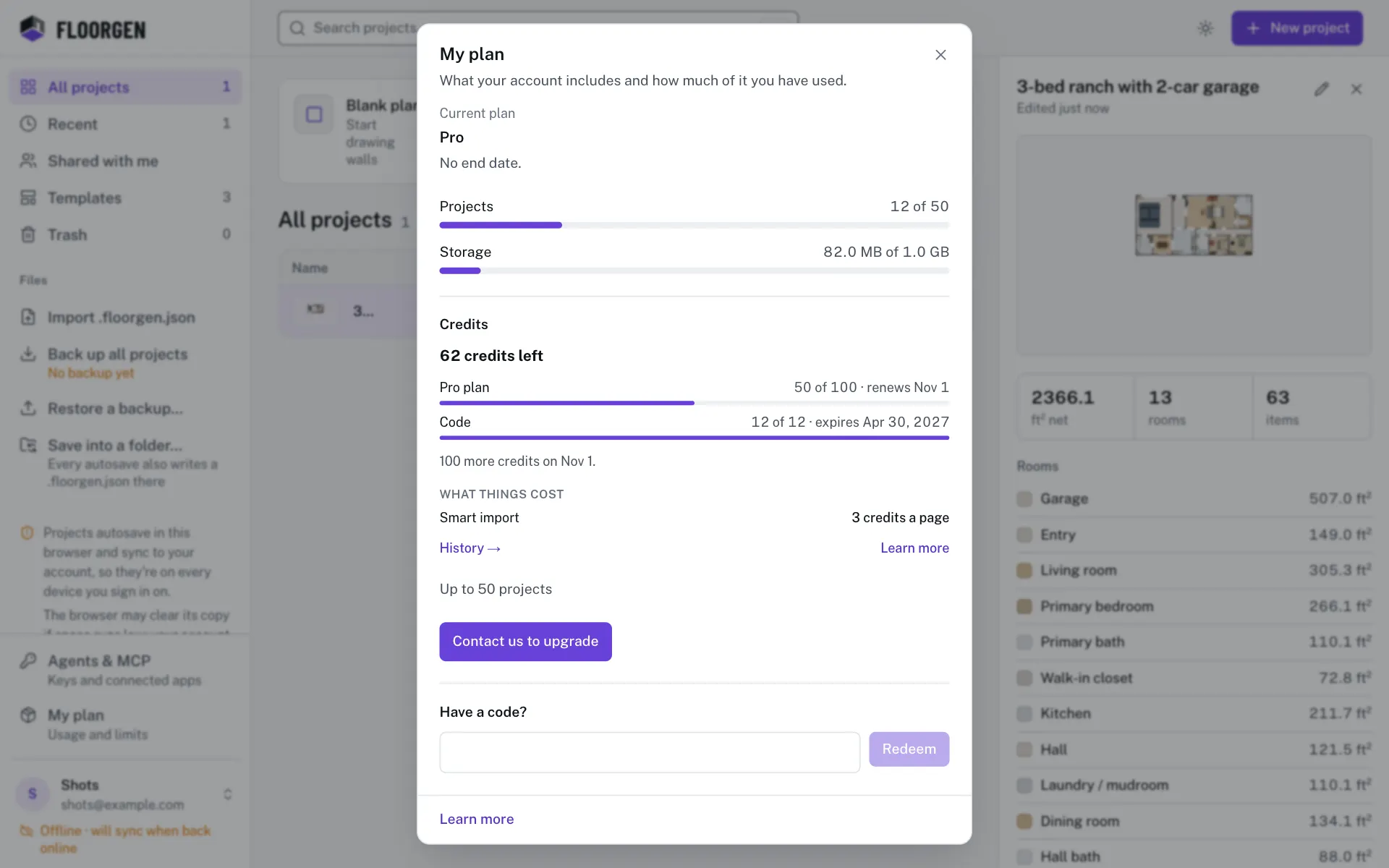
- Step 8: Open My plan
Click Redeem a code in the chip’s popover, or open My plan on the projects page.
- Step 9: Enter the code
Type or paste it under Have a code? and click Redeem. The box shows only on plans that take codes.
- Step 10: Check the date
The dialog says how many credits were added and until when, for example “50 credits added. They last until 8 Jan 2027.” Credits from a code expire, so use them before that date.
Plan credits renew on their own each month, and depending on the plan, unused ones can roll over for up to 3 months. For limits on projects and storage, see Plans, limits and codes.
Questions
Why is there no credits chip?
Credits are off by default. The chip shows only when credits are on for your account and you are signed in. Until then Smart import costs no credits.
Am I charged if Read plan fails?
No. If the page is not a plan, the read fails or you cancel, the held credits come back. If the plan was read just before it stopped, the credits are used and reading that page again within 7 days, for a project in the same units, is free.
Do credits expire?
Some do. The popover shows renews or expires with a date for each batch, and the code dialog states the date. A batch with no expiry stays until used.
Does an AI agent spend my credits?
No. Agents connected over MCP can read your balance but cannot spend credits.