Home calculators
Updated 3 min readWorks without an account
floorgen.app/tools has 22 free home calculators for flooring, paint, tile, stairs, costs and more. Each has its own page, needs no account, and can turn your numbers into a floor plan.
Use a calculator
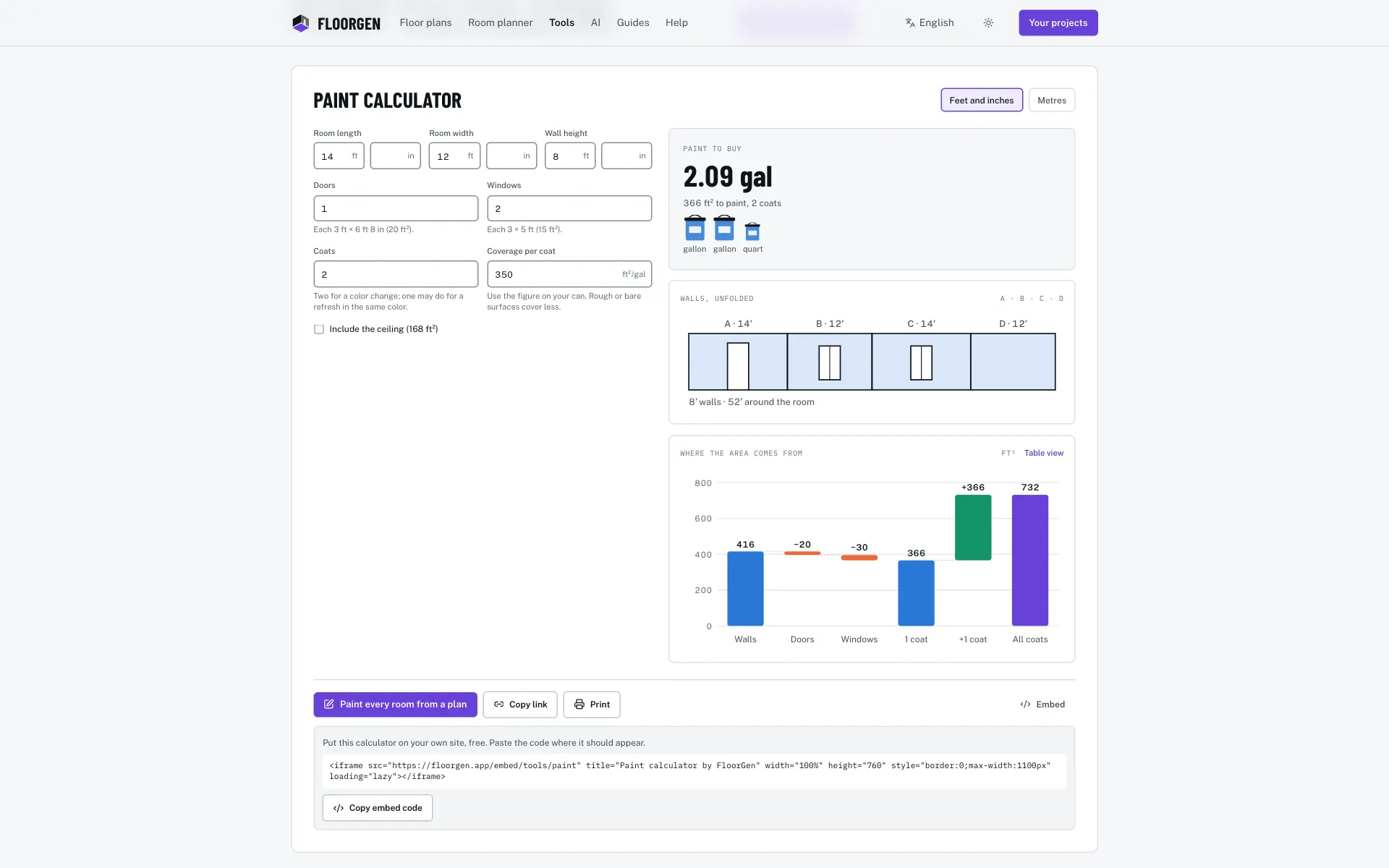
- Step 1: Pick a calculator
Open floorgen.app/tools and choose one from the list, or go straight to its page.
- Step 2: Enter your sizes
The results update as you type. Most calculators draw a sketch of what they worked out.
- Step 3: Open it as a plan
The first button under the results, Open as a floor plan on most calculators and named for the job on some (the paint calculator says Paint every room from a plan), opens the editor with the rooms from your inputs. When the inputs make no room, or are too big for a plan link, it opens a starting plan instead: a sample house or room on some calculators (the room size calculator opens the 3-bed ranch), an empty plan on others. Conversion and budget calculators always open that starting plan.
- Step 4: Share or keep the result
Copy link copies the page address with your inputs in it, so whoever opens it sees the same numbers. Print prints the page.
Put a calculator on your own site
Click Embed under the calculator, then Copy embed code, and paste the iframe where it should appear. It is free. The action bar is hidden inside the embed.
The 22 calculators
| Calculator | What it works out |
|---|---|
| Square footage calculator | Every room’s area and the total, sketched to scale. |
| Flooring calculator | Boxes, waste by pattern and the installed cost. |
| Paint calculator | Gallons or litres from the walls, less doors and windows. |
| Tile calculator | Tiles, boxes, grout and mortar, with the pattern drawn. |
| Stair calculator | Risers, treads and angle, checked against the code. |
| Rug size calculator | The right standard rug for your room and sofa. |
| Cost to build a house | Low, likely and high, split by stage of the build. |
| BTU calculator | The air conditioner size for a room, sun and people. |
| Carpet calculator | Square yards from the roll width, with the seams shown. |
| Drywall calculator | Sheets, joint compound, tape and screws for the walls. |
| Wallpaper calculator | Rolls, with the pattern repeat counted in. |
| Baseboard calculator | Linear feet less doorways, in stock lengths. |
| Cost per square foot | Price per ft² and m², homes side by side. |
| What size bed fits my room | Every bed size with the walkway around it. |
| Room size calculator | Area, code minimums and how full the room is. |
| Lumens calculator | How much light a room needs, in lumens and bulbs. |
| Square feet to square metres | Both ways as you type, with common sizes. |
| Feet and inches to metres | Lengths both ways, fractions of an inch included. |
| Roofing calculator | Squares and bundles from the footprint and pitch. |
| Concrete calculator | Cubic yards and bags for a slab or footing. |
| Deck calculator | Boards, joists and screws for a deck. |
| Renovation budget planner | Your line items, totalled with a contingency. |
Other languages
Square footage, paint and flooring have Spanish and German pages. Portuguese, French and Japanese pages add tile and wallpaper. Pick a language with the switcher at the top of the page. The other calculators are in English.
Questions
Do I need an account for the calculators?
No. They are free and open to everyone. Opening the result in the editor works as a guest too. See Guest or account.
Why did Open as a floor plan not show my rooms?
Some inputs make no room, such as a floor area on its own, and some are bigger than a plan link can carry. The calculator then opens its starting plan: an empty plan, or on some calculators a sample house or room (the bed size calculator opens a bedroom, the stair calculator a two-storey house), to draw the sizes in.