Curved walls, round rooms and arches
Updated 4 min readNeeds a free account
The editor has no tool for drawing curves yet. Ask FloorGen AI, or a connected agent, to bend a wall, draw a round room, put an arched top on a door or window, or lay a round terrace. The curves are true arcs on the plan and in 3D, and the rooms follow them.
Ask FloorGen AI for a curve
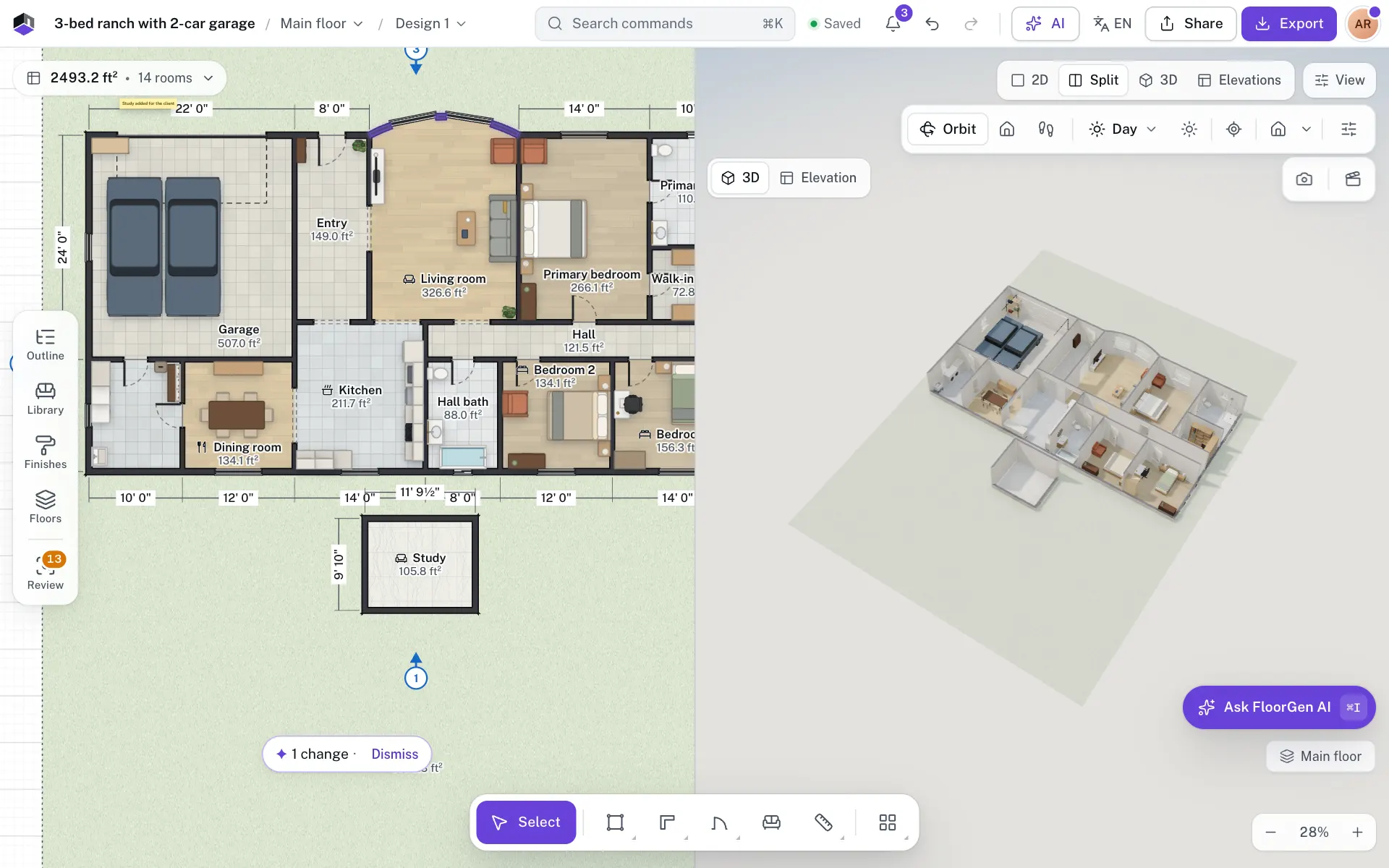
- Step 1: Open FloorGen AI
Click AI in the top bar, or press ⌘I.
- Step 2: Ask for the curve
Type what you want in the box that reads Ask, or tell FloorGen AI what to change…, such as “make the living room’s back wall curved, bowing out 2 ft”, and press ↵.
- Step 3: Check the plan
The wall bends into an arc, and the room follows it, with its new area. Doors and windows on the wall keep their distance along it.
- Step 4: Look at it in 3D
Press 3, or open Split, to see the curved wall standing in 3D.
Each change is a step in the reply with its own Undo, and ⌘Z works too. See Undo and run again. FloorGen AI needs a free account by default.
What you can ask for
| Shape | What to ask | What you get |
|---|---|---|
| Curved wall | “Curve the back wall of the living room out by 2 ft” | An existing wall bent into an arc, bowing to one side by the depth you give. A curve as deep as half the wall is a semicircle. |
| Round room | “Add a round reading room 4 m across next to the bedroom” | A room made of two half-circle walls, at least 1 m across. It is refused where it would overlap another room. |
| Room with a curved side | “Draw a sunroom with a curved front” | A room whose sides can each be straight or curved, such as a bay or an apse. |
| Arched door or window | “Give the front door an arched top” | A round arch (a half circle) or a shallow arch. The height includes the arch. |
| Round terrace or path | “Add a round patio 5 m across behind the house” | A floor surface drawn as a circle, with many short sides. |
| Straight again | “Straighten that wall” | The wall goes back to a straight line between the same ends. |
How curves look and edit
- On the plan, a curved wall draws as a smooth arc, and the room inside shows its name and area as usual.
- In 3D, curved walls stand as smooth curves with their paint and finish. Arched doors and windows show their arch in 3D and in the elevations.
- Click a curved wall to select it like any other wall. You can change its thickness, height and paint, or press Del to delete it.
- The length on its card is measured straight from end to end, not along the curve.
- There is no handle that bends or straightens a wall. Ask FloorGen AI to change the curve, or to make the wall straight again.
- A round terrace is a surface: change its finish and height like any other.
With a connected agent
An agent connected over MCP uses set_wall_curve to bend or straighten a wall, create_room_circle for a round room, create_room_polygon or add_walls with a curve per side, add_opening or update_opening with an arched head, and add_surface with a circle. set_wall_curve and add_surface are in the more toolset. See MCP tools and toolsets.
Questions
Can I draw a curved wall myself?
Not yet. The Wall and Room tools draw straight walls. Ask FloorGen AI or a connected agent for the curve.
Why does the wall length look short?
The card measures a curved wall straight from end to end. The wall itself is longer, along the arc.
Does a DXF import keep curved walls?
No. Curves on a DXF wall layer go into the traced picture under the plan, not into walls. See Import a plan.